Inbox
Inbox is used to view information sent to users through the console. Generally, it includes user operation notifications and operation success information, ticket approval and task completion information, etc.
- In the management console, you can see all inbox messages in the system;
- In the domain management console, you can see all inbox messages in this domain;
- In the project view, you can only see inbox messages sent to the current user
Entry:
-
In the cloud management platform, click the navigation menu in the upper left corner
 , and click the "System Configuration/Message Center/Inbox" menu item in the pop-up left menu bar to enter the inbox page.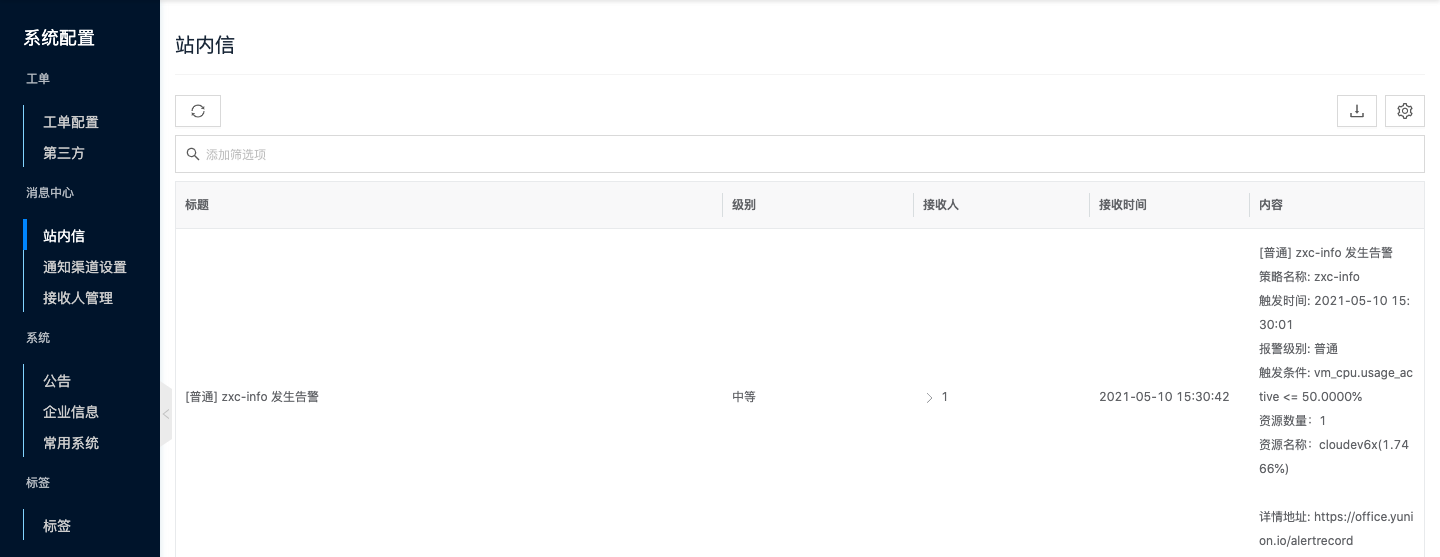
-
In the cloud management platform, click the
 icon in the upper right corner of the system interface, click the "More Inbox" link to jump to the message center page.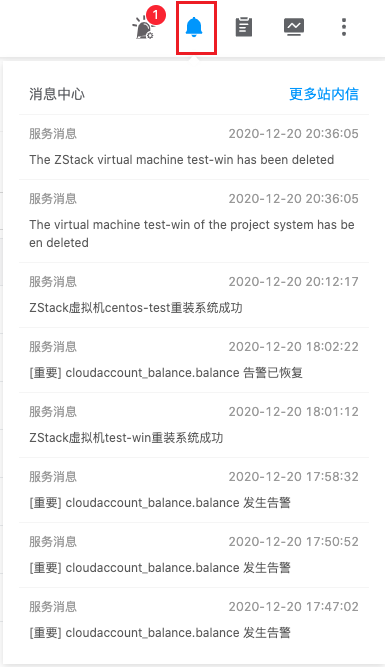
- On the message center page, view inbox information, including title, level, recipient, receive time, content, etc.
- Recipients support expansion to view specific recipient names, receive times, receive status, etc.