SSH Proxy Service
SSH proxy service is the SSH service on the platform, used to establish forwarding rules with virtual machines managed by SSH proxy nodes. After the system is created, a Pod will be automatically deployed as the SSH proxy service. When the environment is updated or the listening address changes, the backend will update the listening address and service address according to the actual situation.
Entry: In the cloud management platform, click the navigation menu in the upper left corner, then click the "Network/SSH Proxy/SSH Proxy Service" menu item in the pop-up left menu bar to enter the SSH proxy service page.
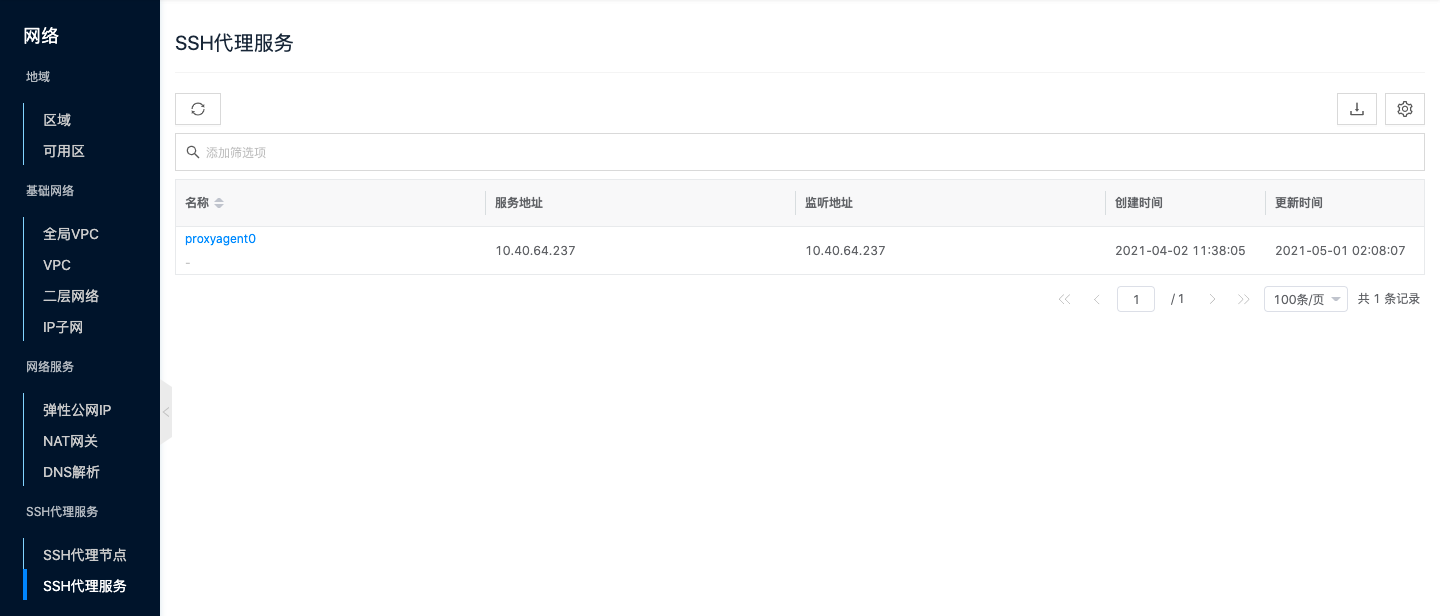
View SSH Proxy Service Details
This function is used to view detailed information of the SSH proxy service.
- In the SSH proxy service list, click the SSH proxy service name item to enter the SSH proxy service details page.
- View the following information, including cloud ID, ID, name, status, domain, project, creation time, update time, remarks, etc.
View Operation Logs
This function is used to view log information of operations related to the SSH proxy service
- In the SSH proxy service list, click the SSH proxy service name item to enter the SSH proxy service details page.
- Click the "Operation Logs" tab to enter the operation logs page.
- Load more logs: The list displays 20 operation log entries by default. If you need to view more operation logs, click the "Load More" button to get more log information.
- View log details: Click the "View" button in the operation column on the right side of the operation log to view the log's detailed information. Supports copying detail content.
- View logs for a time period: If you need to view operation logs for a certain time period, set specific dates in the start date and end date in the upper right corner of the list to query log information for that time period.
- Export logs: Currently only supports exporting logs displayed on this page. Click the download icon in the upper right corner, set the export data columns in the pop-up export data dialog, click the "OK" button to export logs.